If you are receive the error: ‘Contains An Incorrect Path’ while scanning Barcodes, follow the steps below. If you encounter this error at any other time (when not using the Barcode Scanner) follow the steps in this document: <<Filename>> Contains An Incorrect Path.
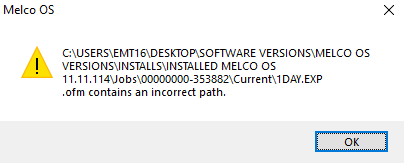
- Make sure the correct Database Path is selected.
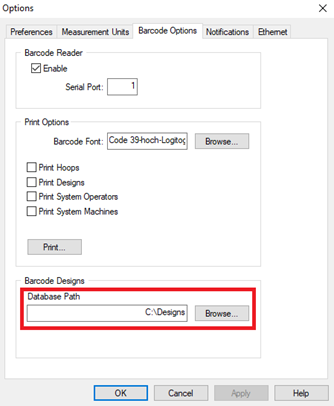
- Try scanning again. If the error appears, continue with the steps below.
- A Windows Registry modification might be needed, under the direction of Melco Technical Support. Here are the available Melco Technical Support resources.
- After the Windows Registry modification, follow the steps for Enabling The Barcode Scanner In Melco OS and AMAYA OS