This message indicates that the machine was not able to move the knife in an expected manner, follow the steps below to resolve this message.
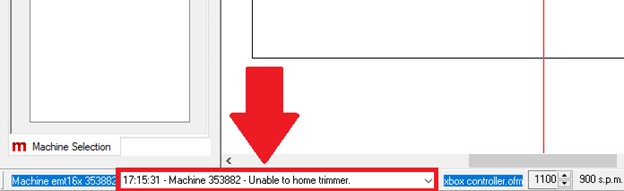
- Remove the Needle Plate and Power Cycle the machine. If there is no error, Home the Knife.
- Check the Log for any other error message and search for that message in the Knowledgebase.
- Check if a broken needle is jamming the Moveable Trimmer Blade, it could be wedged in a difficult-to-see spot.
- If the situation remains unresolved, you will need additional technical assistance. Here are the available Melco Technical Support options. (Internal Article)
- Uncheck Tools > Maintenance > Steppers > ‘Disable NPT Trimmer Sensor’
- Refresh mc/jobs/machines
- Reflash the Main-PCB