To turn the Sequin Head Attachment OFF:
Turn the machine off.
Hold down the Stop, Laser and Frame Back buttons at the same time.
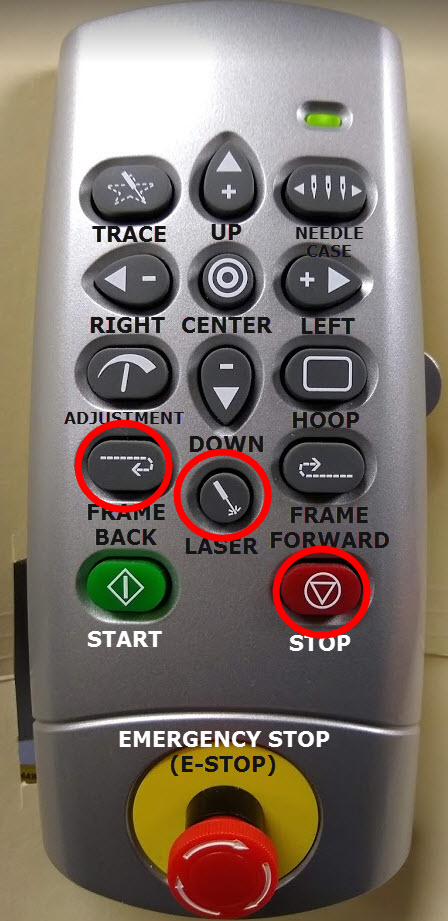
Turn the machine ON while still holding all 3 keys down.
To turn the Sequin Head Attachment ON:
Within Amaya OS, Use: Tools - Settings - check "Enable Sequin Device"
- OR -
Turn the machine off.
Hold down the Stop, Laser and Frame Forward buttons at the same time.
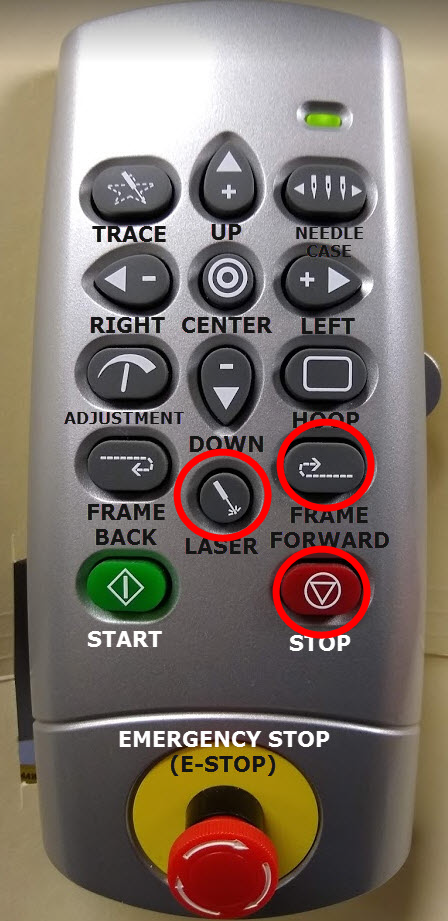
Turn the machine ON while still holding all 3 keys down.