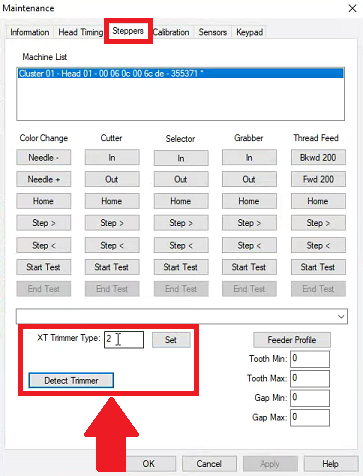
The Trimmer Type might need to be set in the Operating Software of the machine to avoid trimming errors, follow the steps below.
- Identify the Trimmer installed on your machine.
- Go to Tools > Maintenance > Steppers > Trimmer Type
Set the trimmer to the correct one for your machine.
Original Amaya (Big Red) = n/a
XT = 0
XTS = 2
EMT / EMT16Plus (S95 ) = 3
EMT X = NPT