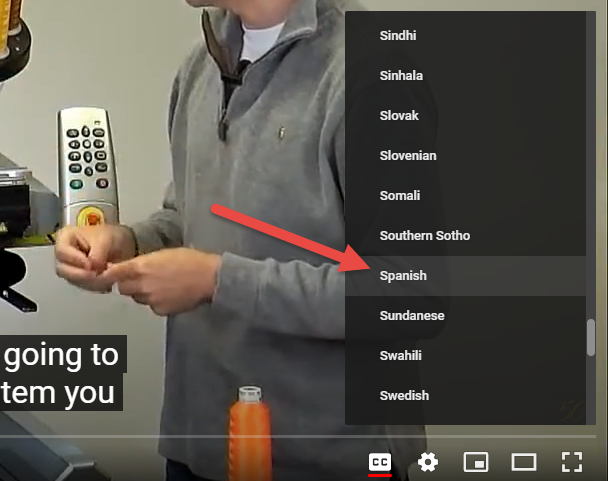
Follow the steps below to turn on subtitles in YouTube and set the subtitle translation language of your choice. You can use this feature to view Melco Training Videos with translated subtitles.
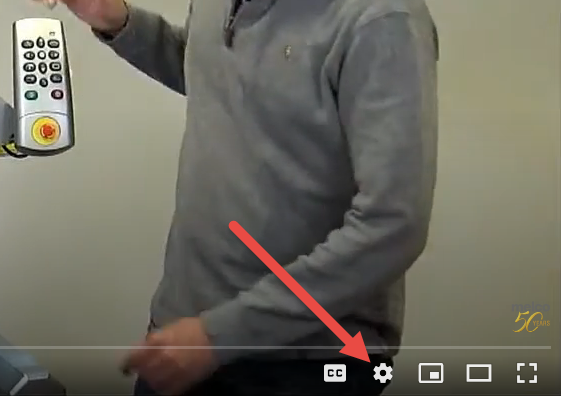
STEP 1: Click the Settings icon in YouTube
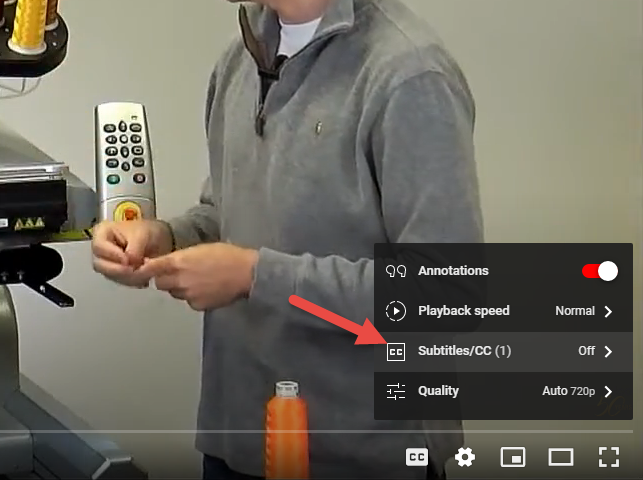
STEP 2: Click on Subtitles/CC
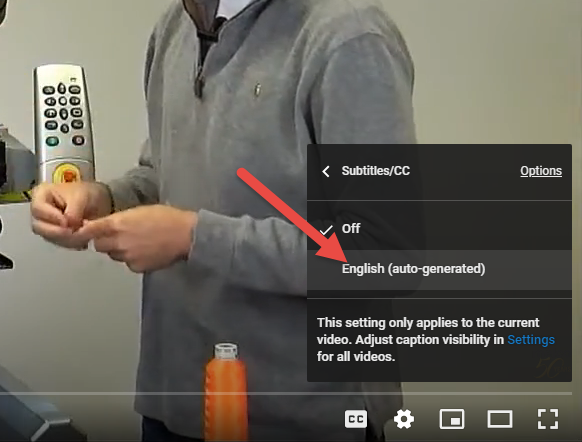
STEP 3: Click on English (auto-generated)
STEP 4: Click on the Subtitles/CC option again as you did in STEP 2.
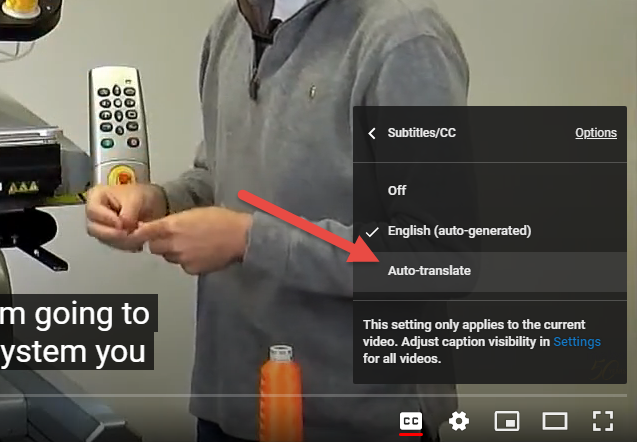
STEP 5: Click on the Auto-translate option
STEP 6: Choose your preferred language from the list