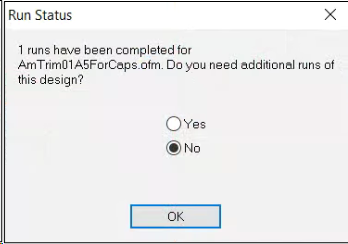
If you don’t want this message to be displayed, go to Tools > Settings … > Settings and make sure the Prompt Before Auto Load is unchecked.
If it’s grayed-out but checked, it will still show the message. If it is grayed-out and not letting you uncheck it, check Auto Load Next Pending Design first. After unchecking Prompt Before Auto Load, you can then uncheck Auto Load Next Pending Design.
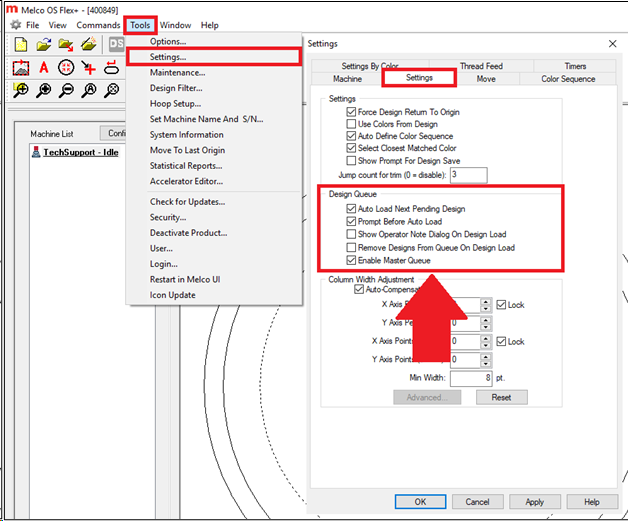
Auto Load Next Pending Design (Design Queue)
When this box is checked, the next design in the design queue is automatically loaded into the machine once the desired number of runs have been completed for the current design. When this box is unchecked, you must click on the Load button to load the next design into the machine.