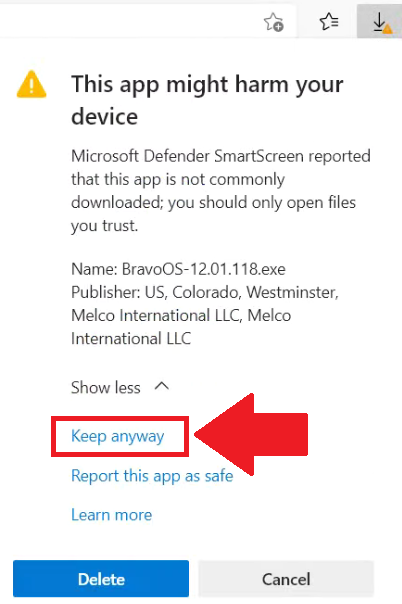
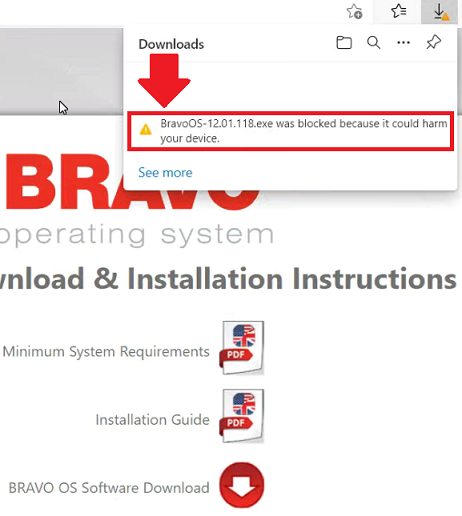
If you are encountering a message in Internet Explorer similar to: "exe was blocked because it could harm your device." Follow these steps below to allow the download:
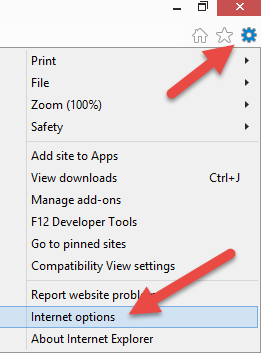
In Internet Explorer, click Settings and click Internet options:
In the Security Tab, Temporarily change your settings to the following:
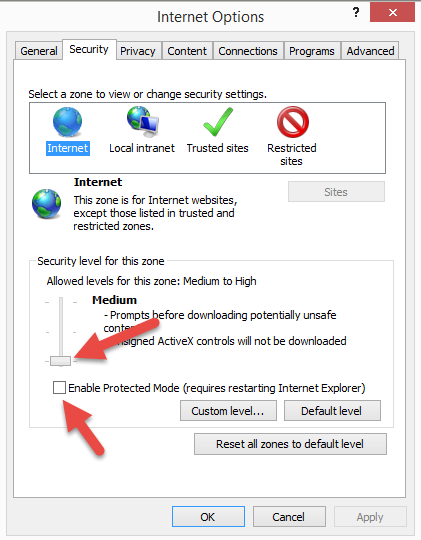
Then try your download again. After the download completes successfully, repeat the process above and return them to their original settings. If you are still unable to complete the download after following the steps above, continue with these steps below:
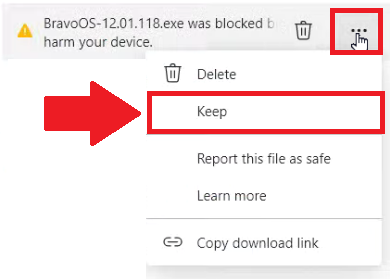
1. Click on the three dots for "More Options" and then Keep.
2. Click Show More
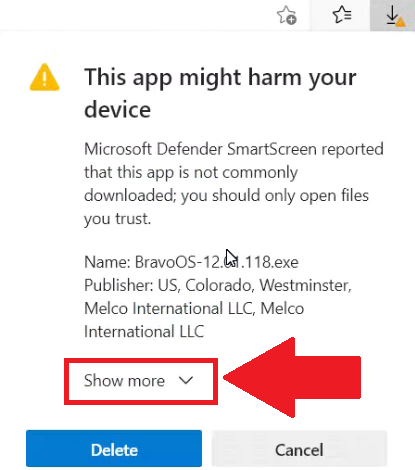
3. Click Keep anyway.