To turn off Hardware Acceleration:
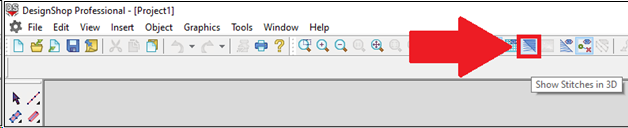
1. Right Click on Show Stitches in 3D.
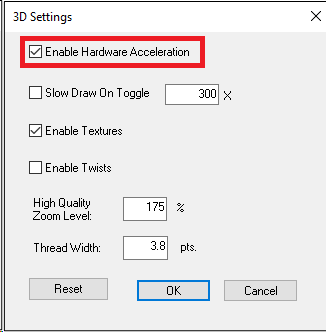
2. Uncheck Enable Hardware Acceleration.
3. Click OK.
To turn off Hardware Acceleration:
1. Right Click on Show Stitches in 3D.
2. Uncheck Enable Hardware Acceleration.
3. Click OK.