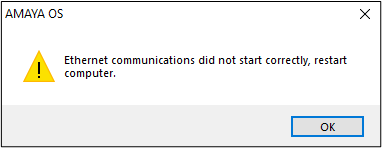
This error means that the Melco OS program is not detecting the Melco machine(s). Follow the troubleshooting steps below. (Note: Routine background computer updates can cause errors even if it has been working previously.)
- It's important to note that AMAYA OS v10.01.001, Melco OS, and Bravo OS cannot be run in Compatibility Mode. Verify the correct Compatibility Mode Settings. Verify software version compatibility and enable that mode as needed. Also run the software as an Administrator in Windows.
- Follow the steps for Machine Not Detected (Not Connecting To Computer).
- Verify that the Windows User Account has Administrator Privileges.
- Once the error: ‘Ethernet communication did not start correctly, restart computer’ has been resolved you might receive the error" ‘The version of the CSA program in the machine and the version of the file’, follow the steps in the link article.