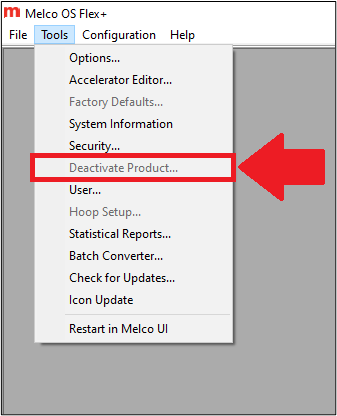
If the Deactivate Product… button is grayed out and doesn’t let you deactivate the software, check Tools > Security… to see if a USB Security Dongle is plugged in to one of the computer's USB ports. If it is, you can deactivate the software by unplugging the dongle. To activate the software on another computer, plug the USB Security Dongle into that other computer. If the new computer opens the software in LITE mode, even though the dongle is plugged in, follow the steps for USB Security Dongle Not Recognized.