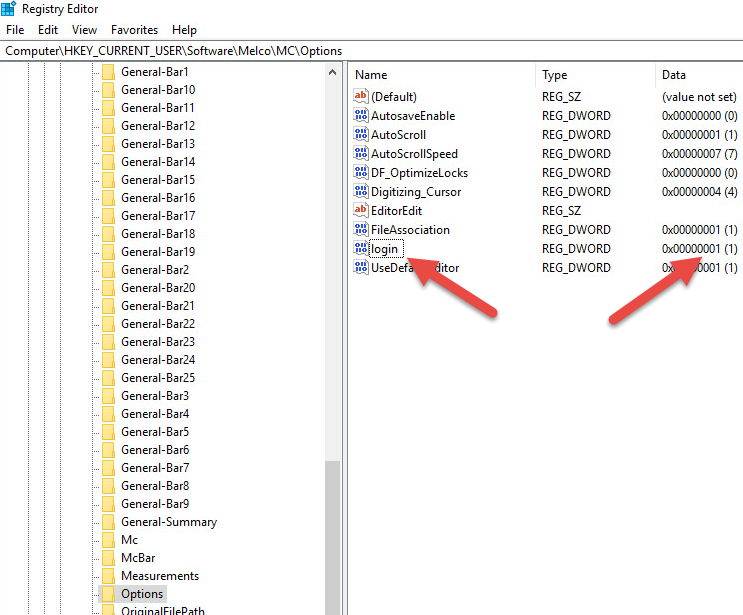
To allow User Login within Melco OS, the information below must be added to the Windows Registry. This change should only be made by someone who is experienced with making Registry modifications.
Under HKEY_CURRENT_USER\Software\Melco\MC\Options
Add DWORD name "login" with a value of 1
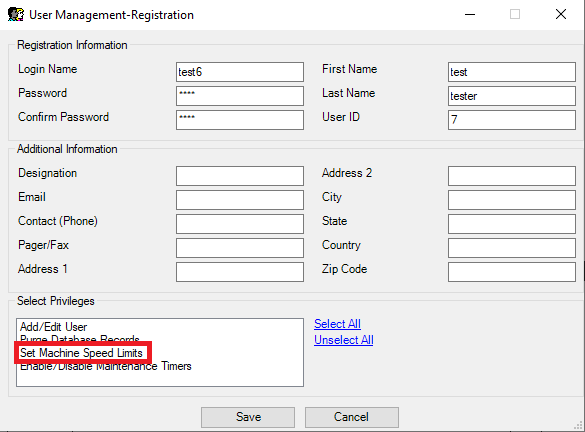
Then, launch Melco OS and click Tools - Users... You can now add and remove users in the User Management form.
Note that the "Set Machine Speed Limits" option is non-functional at this time.
If a password needs to be Reset, please follow the steps below:
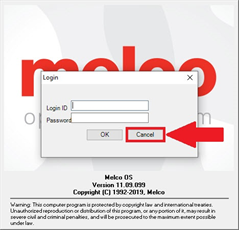
1 - Click the Cancel button:
2 - Click on Tools - User...
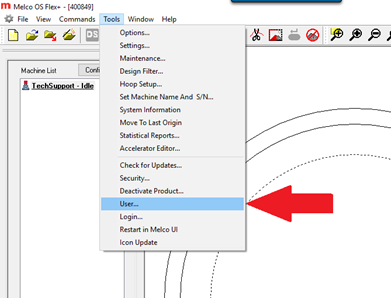
3 - If Tools - User... is greyed out, close and re-open Melco OS. If it remains greyed out, review the steps at the top of this document.
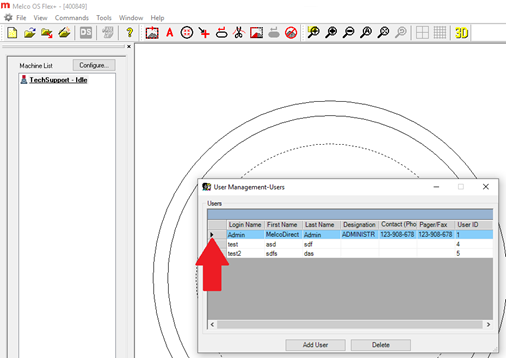
4 - Double-Click the arrow next to the Admin account:
5 - Change the password in both the Password and the Confirm Password fields.
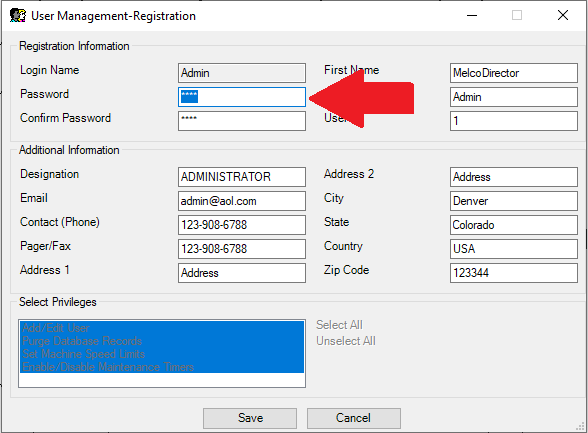
6 - Click Save