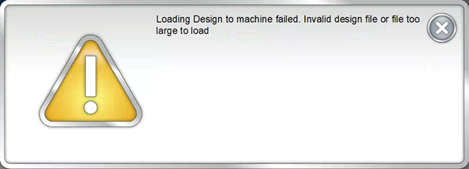
If you encounter the message : "Loading Design to machine failed. Invalid design file or file too large to load", your current stitch count must be reset in the Advanced OS.
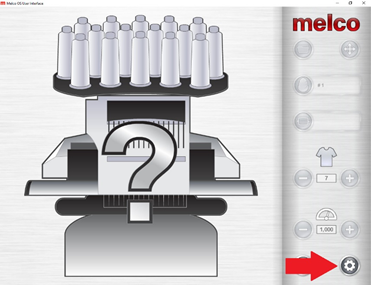
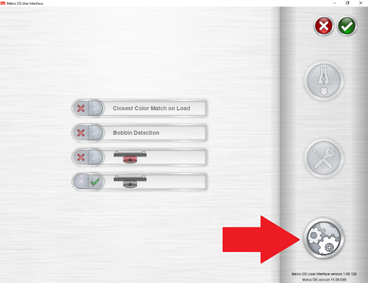
- Switch to the Advanced OS by clicking on the Settings button > Advanced Settings > Melco OS Restart button.
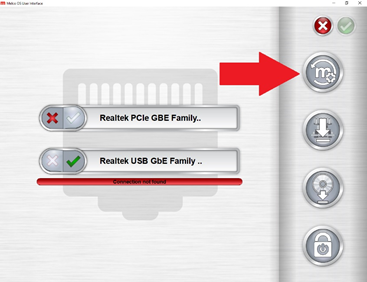
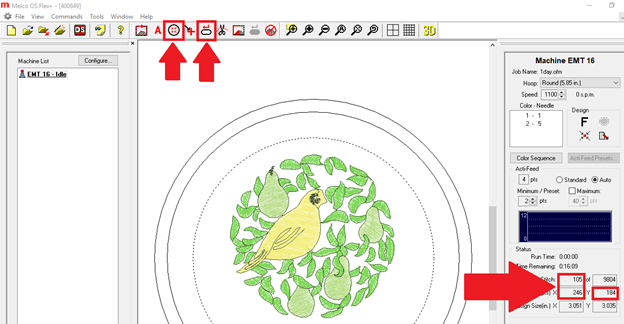
- Press the Reset Design
 and Center Hoop
  This should reset the stitch count, x position and y position to 0.
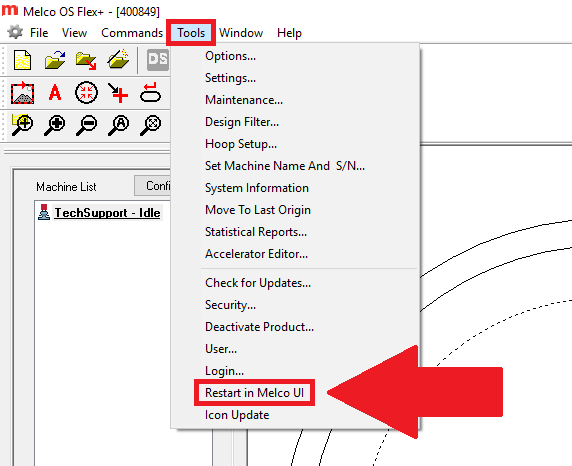
- You can switch back to the Simple User Interface by going to Tools > Restart in Melco UI
- Try Loading your design again. It should now load successfully.