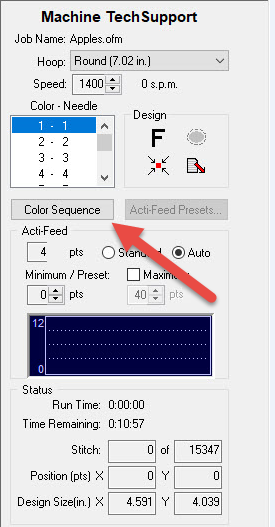
To change the Background Color, go into the Color Sequence screen.
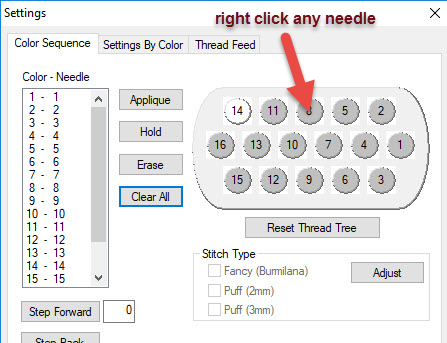
Right-click on one of the needle numbers (circles) on the tree.
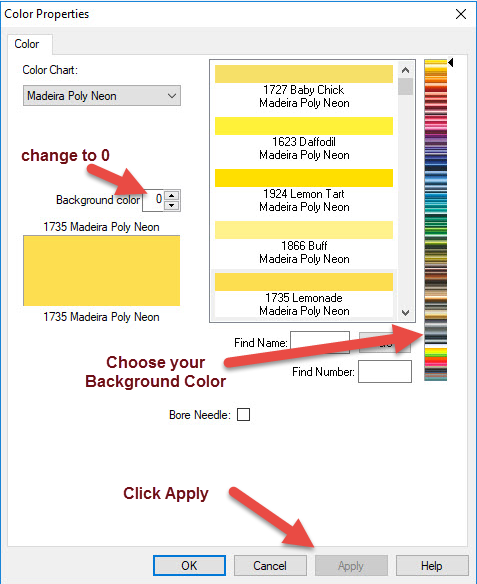
In the box that shows which needle you are on (Needle 1 through 16), change that needle number to 0. Then, choose a color from the right side and Apply. It will set your background to the color chosen.