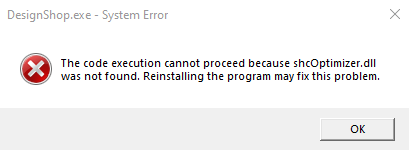
If you double-click a design file to launch into DesignShop (or Melco OS/Bravo OS/AMAYA OS) and you receive the message "The program can't start because shcOptimizer.dll is missing from your computer. Try reinstalling the program to fix this problem." try these suggestions:
1) The preferred method of loading a design is by running the DesignShop program, and then choose File – Open (Or, click the Open icon in the DesignShop toolbar) and choose that design.
2) Make sure the file type you are trying to load is a Supported File Type. For example .ofa files are not design files that can be opened, but instead, are Alphabet Files that must be placed in the correct folder.
3) Verify the app is selected by Right-Clicking on the file > Open with > Choose another app > Select DesignShop. If more than one DesignShop is listed, try selecting the alternate one.
4) In Design Shop click: Tools – Options - File Associations. At the bottom of that screen you can click the Remove All button and then the Add All button, click Apply and OK. Then, and try double-clicking on that design file again to see if it launches DesignShop properly.
5) Set the File Association within Windows:
6) Uninstall and Reinstall DesignShop.