If you encounter video display difficulties showing Notes or Lines within DesignShop v9 or v10 on a Windows 10 computer:
First, check to see if there is a video driver update available for your computer's video adapter.
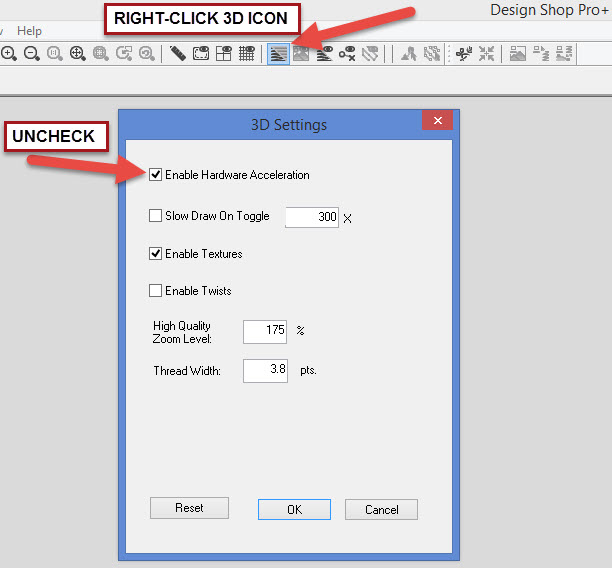
Next, Disable the Hardware Acceleration feature:
- Right Click on the 3D icon at the top of the DesignShop screen.
- Uncheck Enable Hardware Acceleration. Click OK.
- Close DesignShop and re-open it.
If the above steps do not resolve, you can also Uninstall and then Re-Install your DesignShop software.