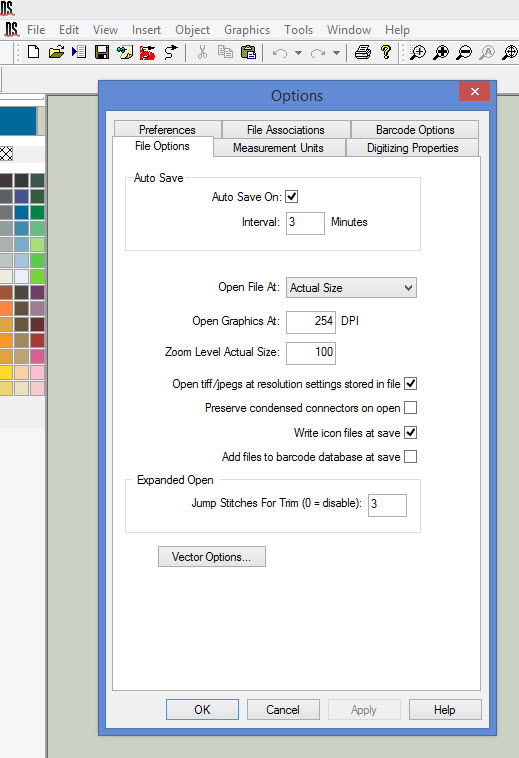
Here's how the Auto Save feature works in Design Shop v9.
Under: Tools – Options, you can adjust the setting, and you can reduce this down to 2 or 1 minute depending upon your needs.
The way this works is after you’ve been using the software for the specified number of minutes, it will automatically save. If you manually perform a Save within Design Shop, it resets that timer to 0, and the timer begins again as soon as you start making any changes within the design.